How to Turn Amazon Product Pages into Video Ads with Pollo AI URL to Video Ad Maker
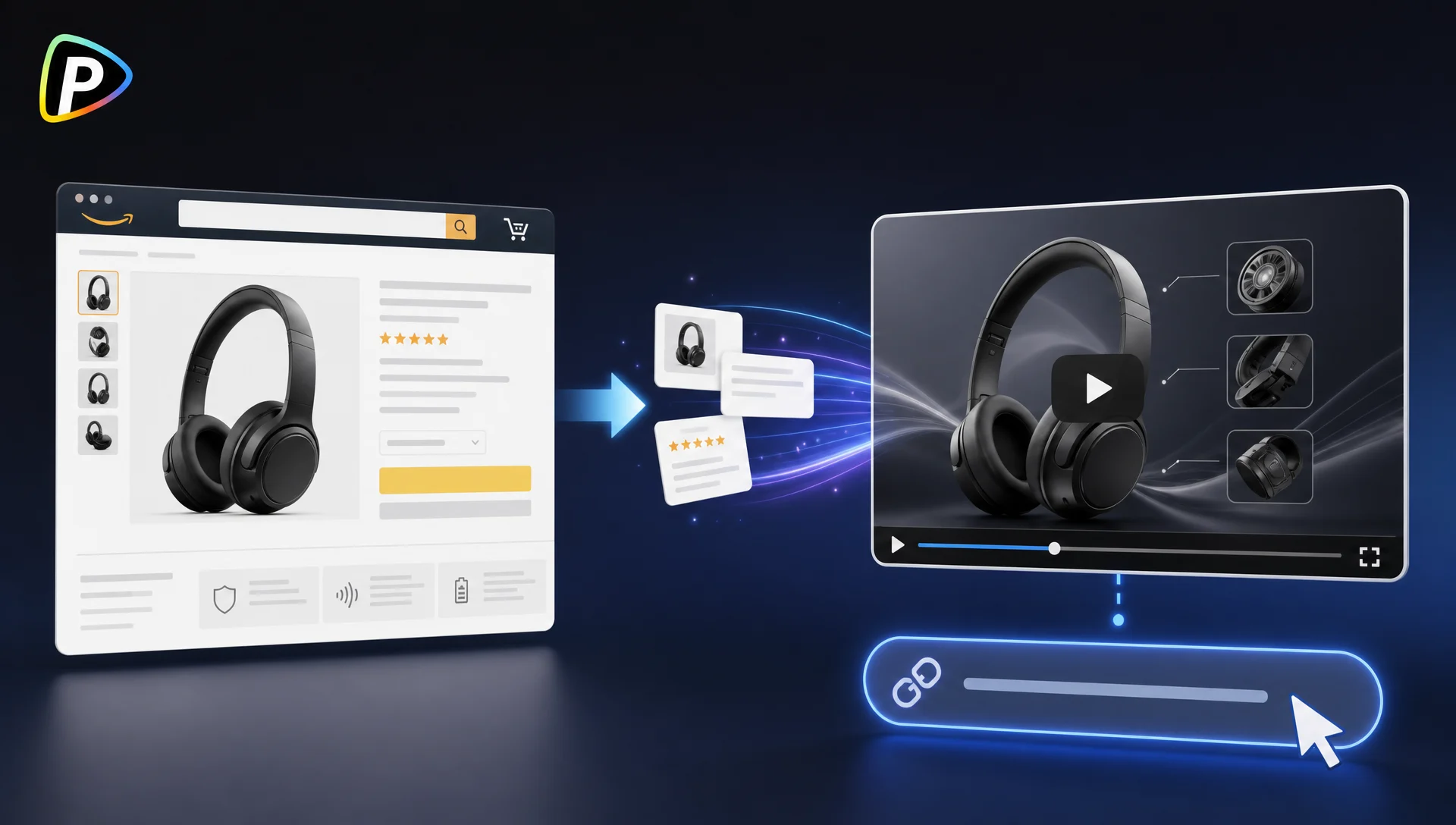
An Amazon listing already gives you a lot to work with: product photos, features, prices, and customer reviews. Turning that information into a decent video ad, though, usually takes extra time for scripting, filming, and editing.
Pollo AI URL to Video Ad Maker offers a quicker starting point. Add an Amazon product link, describe the kind of ad you want, and let the tool generate a first version. You can then review it and make adjustments instead of building the whole video from scratch.
Why Use Pollo AI URL to Video Ad Maker?
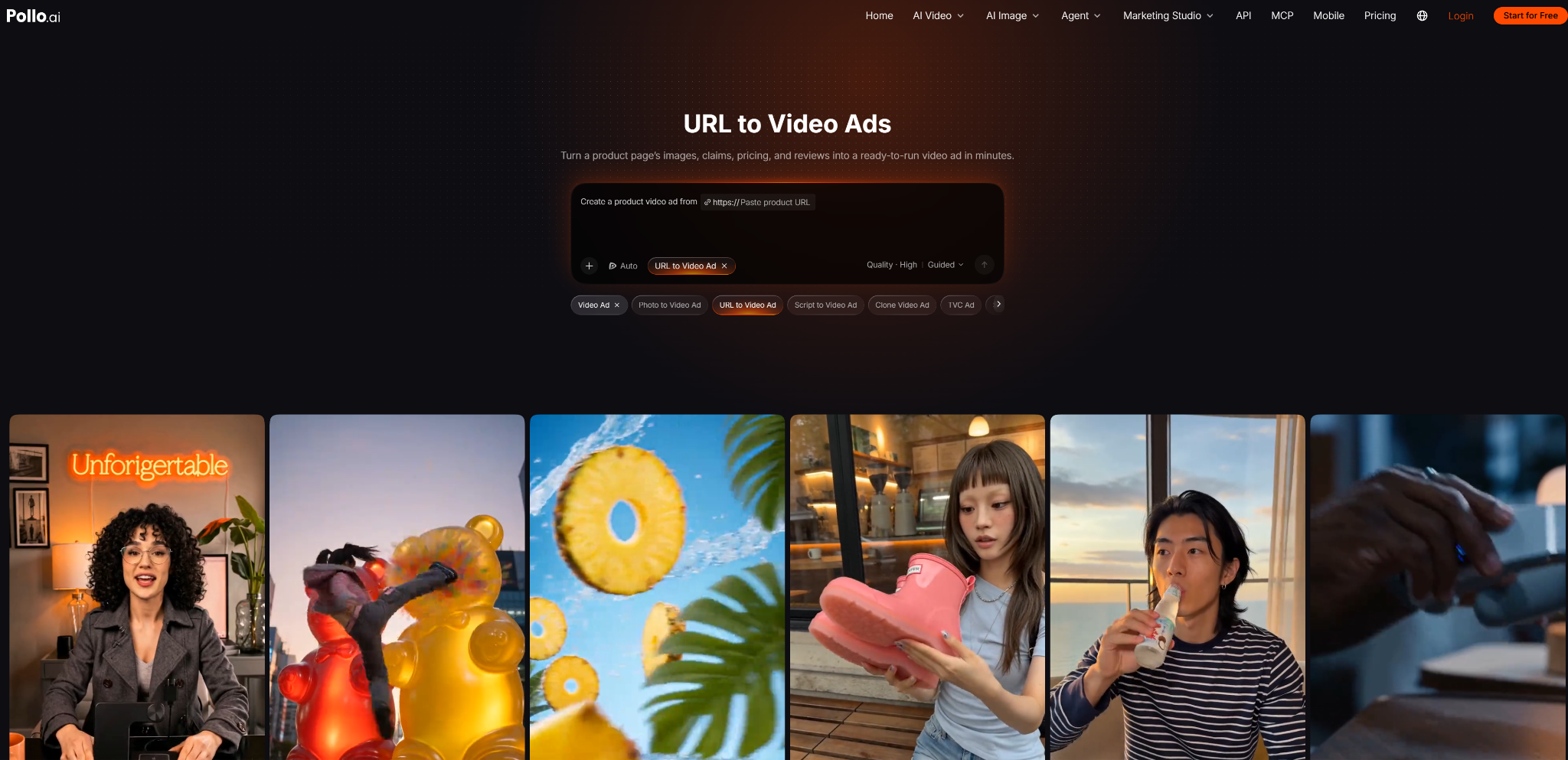
URL to Video Ads can save Amazon sellers the hassle of turning product listings into video ads from scratch. Pollo AI URL to Video Ad Maker uses a product page as the starting point, drawing on details such as product images, features, pricing, and customer reviews to help shape the video. This means sellers don't have to manually collect every asset before they can start creating an ad.
Different products also call for different approaches. A kitchen gadget might work best in a practical product demo, while a beauty product could benefit from a UGC-style presentation. Text prompts let sellers guide the video's style, tone, and main selling point instead of settling for a generic result. Brand customization options, including logos and colors, can also help keep the ad consistent with existing marketing materials.
For sellers promoting products across social channels, Pollo AI can adapt videos for platforms such as TikTok and Reels, reducing some of the work involved in preparing content for different placements. The generated video is still a first draft, though. Prices, product details, visual accuracy, and any claims based on customer reviews should be checked before the ad goes live.
How to Turn an Amazon Product Page into a Video Ad
1. Pick One Selling Point
Before copying the URL, decide what you want viewers to remember. A short ad can't cover every feature, so focus on the benefit most likely to matter to your target customer.
For a portable blender, that might be its compact size or easy cleanup rather than a list of technical specifications. Customer reviews can help you spot the benefits people mention most often.
2. Add Your Amazon Product URL
Open Pollo AI URL to Video Ad Maker and paste your Amazon product link into the input field.
Check the listing first to make sure the information is current. If the product photos, packaging, price, or specifications have changed, you'll want to catch that before generating the ad.
3. Describe the Ad You Want
Give Pollo AI a clear direction instead of writing a long prompt. Mention the key benefit, intended audience, and preferred style.
For example: “Create a short social media ad showing how this compact coffee maker saves counter space in a small kitchen.”
You can try different approaches, such as a UGC-style presentation or a clean product showcase. If you're creating ads for an established brand, include relevant branding instructions where supported.
4. Generate and Review the First Version
Watch the generated video and ask yourself two questions: Is the product easy to recognize, and does the ad communicate its main benefit quickly?
If the video feels generic or spends too much time on details that don't matter, revise your prompt and try again. Testing a few focused variations can be more useful than trying to perfect one broad concept.
5. Check the Details Before Publishing
Compare the video with the current Amazon listing. Look closely at the product's shape, color, packaging, included accessories, and any prices or promotional claims.
AI-generated scenes can introduce details that don't exist on the real product. The same goes for customer reviews: one person's experience shouldn't become a claim that everyone will get the same result.
Once the details are accurate, prepare the video for its intended channel. Pollo AI describes automatic video adaptation for TikTok and Reels, which can help when creating social content.
Tips for Better Amazon Video Ads
- Keep the message focused. One clear benefit is usually more useful than squeezing every product feature into a short video.
- Show the product in context. Demonstrating how an item solves a real problem gives viewers more useful information than a series of attractive but generic shots.
- Try different hooks. Test different openings or selling points to see which communicates the product's value most clearly.
- Check product accuracy frame by frame. Pay attention to logos, labels, proportions, materials, and accessories. Small visual mistakes can undermine trust.
- Use AI as a starting point, not the final check. For important campaigns, consider adding real product footage where generated scenes don't show the item accurately.
Final Thoughts
Pollo AI URL to Video Ad Maker can help Amazon sellers turn an existing product listing into a first draft of a video ad without starting from a blank timeline.
The best results still depend on the brief. Pick a selling point customers care about, give the video a clear direction, and check the finished result against the actual product. That matters more than making the ad look flashy.